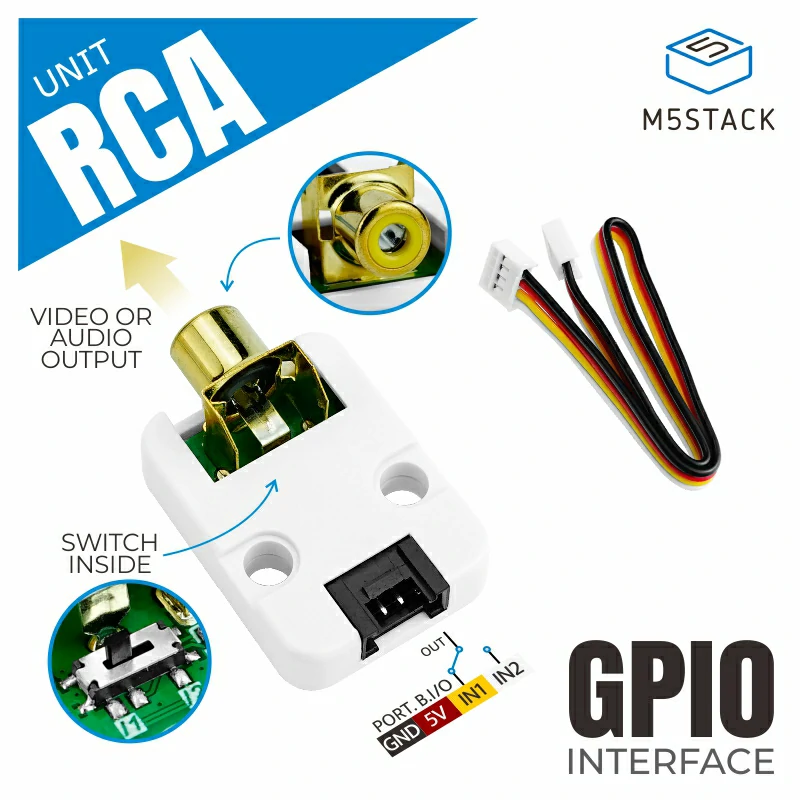
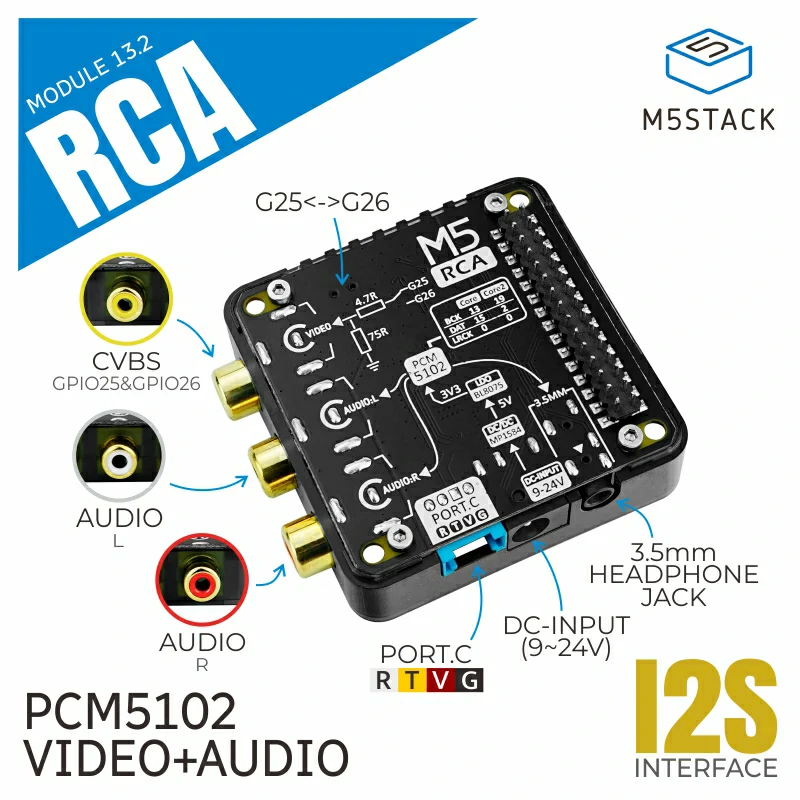
# Unit RCA and Module RCA library ### Notes. - If you wish audio output, please use other libraries such as M5Unified::Speaker. - Video signals can be output using the ESP32's I2S-DAC output. - The ESP32's I2S-DAC output uses I2S0. Only GPIO 25 or 26 can be used as the output destination. - ESP32-S3 does not have a DAC output and cannot be used. - Display color depth can be selected from Grayscale / 8bit(RGB332) / 16bit(RGB565). - The output resolution can be set freely, but it uses memory in proportion to area and color depth. ### 注意事項 - 音声出力に関してはM5Unified::Speaker等の他のライブラリをご利用ください。 - ESP32の内蔵I2S-DAC出力を使用してビデオ信号を出力できます。 - ESP32の内蔵I2S-DAC出力はI2S0を使用します。出力先には GPIO 25, 26 のみが使用できます。 - ESP32-S3ではDAC出力がないため映像出力には使用できません。 - 表示色は Grayscale / 8bit(RGB332) / 16bit(RGB565) から選択できます。 - 出力解像度は自由に設定できますが、色数と面積に比例してメモリを使用します。 ### Recommended output resolution / 出力解像度の推奨値
PAL-M
NTSC
NTSC-J
PAL-N PAL
max width 720 864
max height 480 576
recommended
width
推奨 幅
720/1 = 720
720/1.5=480
720/2 = 360
720/3 = 240
720/4 = 180
720/5 = 144
720/6 = 120
864/1 = 864
864/1.5=576
864/2 = 432
864/3 = 288
864/4 = 216
864/5 = 173
864/6 = 144
recommended
height
推奨 高さ
480/1 = 480
480/2 = 240
480/3 = 160
480/4 = 120
480/5 = 96
480/6 = 80
480/8 = 60
576/1 = 576
576/2 = 288
576/3 = 192
576/4 = 144
576/5 = 113
576/6 = 96
576/8 = 72
Sample Code: ``` #include #include // Resolution, signal type, and output pin number can be specified in the constructor or init function. // If the argument is omitted, the resolution is set to 216x144, PAL format, and GPIO 26 pins. // If the resolution is too high, it may not work due to insufficient memory. // 解像度、信号の種類、出力ピン番号はコンストラクタまたはinit関数で指定できます。 // 引数の省略時は 解像度 216x144 , PAL形式 , GPIO26ピン が設定されます。 // 解像度が高すぎる場合はメモリ不足のため動作しない可能性があります。 // M5ModuleRCA or M5UnitRCA M5UnitRCA display ( 216 // logical_width , 144 // logical_height , 256 // output_width , 160 // output_height , M5UnitRCA::signal_type_t::PAL // signal_type , M5UnitRCA::use_psram_t::psram_half_use // use_psram , 26 // GPIO pin , 128 // output level ); // If output_width and output_height are set larger than logical_width and logical_height, there will be margins at the edge of the screen. // signal_type can be selected from NTSC / NTSC_J / PAL / PAL_M / PAL_N. // The maximum output resolution depends on the signal_type. // 720 x 480 (PAL_M,NTSC,NTSC_J) // 720 x 576 (PAL_N) // 864 x 576 (PAL) // output_width,output_height を logical_width,logical_height より大きく設定すると、画面端に余白ができます。 // signal_typeは NTSC / NTSC_J / PAL / PAL_M / PAL_N から選択できます。 // 出力できる最大解像度はsignal_typeによって異なります。 void setup(void) { // For models with a protection resistor on the GPIO (M5Stack Core2), the voltage of the output signal drops. // This function sets the amplification of the output signal. // GPIOに保護抵抗がついた機種 (M5Stack Core2) の場合、出力信号の電圧が低下します。 // こちらの関数で出力信号の増幅を設定します。 // display.setOutputBoost(true); // // For more fine-tuning, use this function. // より細かく調整したい場合はこちらの関数を使用します。 // display.setOutputLevel(200); // default=128 // If you want to change the GPIO pin number of the output destination, specify it with this function. // 出力先のGPIOピン番号を変更したい場合、この関数で指定します。 // display.setOutputPin(25); // Only GPIO 25 or 26 can be used. // To change the output signal type, specify it with this function. // 出力信号の種類を変更したい場合、この関数で指定します。 // display.setSignalType(M5UnitRCA::signal_type_t::NTSC); // display.setSignalType(M5UnitRCA::signal_type_t::NTSC_J); // display.setSignalType(M5UnitRCA::signal_type_t::PAL); // display.setSignalType(M5UnitRCA::signal_type_t::PAL_M); // display.setSignalType(M5UnitRCA::signal_type_t::PAL_N); // If you wish to allocate PSRAM for buffer memory, specify it with this function. // ※ When PSRAM is used, video may be disturbed under high load. // バッファメモリにPSRAMを割当てたい場合、この関数で指定します。 // ※ PSRAMを使用した場合は高負荷時に映像が乱れる場合があります。 // display.setPsram(M5UnitRCA::use_psram_t::psram_use); // All use PSRAM. // display.setPsram(M5UnitRCA::use_psram_t::psram_half_use); // Half PSRAM and half SRAM. // display.setPsram(M5UnitRCA::use_psram_t::psram_no_use); // All use SRAM. no use PSRAM. // Selects the number of colors. The default value is 8 (RGB332). // 色数を選択します。初期値は 8 (RGB332) です。 // display.setColorDepth( 8); // 8bit RGB332 256 colors. display.setColorDepth(16); // 16bit RGB565 65536 colors. // display.setColorDepth(m5gfx::color_depth_t::grayscale_8bit); // 8bit Grayscale 256 level. // initialize // 初期化 display.init(); // Set the display orientation // ディスプレイの向きを設定 // 0 = 270 deg / 1 = normal / 2 = 90 deg / 3 = 180 deg / 4~7 = upside down display.setRotation(0); for (int y = 0; y < display.height(); ++y) { for (int x = 0; x < display.width(); ++x) { display.drawPixel(x, y, display.color888(x, x+y, y)); } } for (int i = 0; i < 16; ++i) { int x = rand() % display.width(); int y = rand() % display.height(); display.drawCircle(x, y, 16, rand()); } } void loop(void) { static constexpr const char hello_str[] = "Hello Unit RCA !"; display.setFont(&fonts::Orbitron_Light_32); int i_end = -display.textWidth(hello_str); for (int i = display.width(); i > i_end; --i) { display.drawString(hello_str, i, (display.height() - display.fontHeight()) >> 1); delay(5); } } ```